Platform overview
Every business module in one workspace
POS, guest orders, kitchen, inventory, team, calls and website run on the same data: one menu, one order flow, one shift. Turn on what you need now — the rest is already next door.
No card required. Choose a paid plan in the admin.

- modules by task
- 48
- menu and storefront languages
- 45
- clouds: AWS and Yandex Cloud
- 2
- to start, no card
- ₾0
Modules by task
Each tile opens the module page, or its help article where a page does not exist yet.
Ничего не найдено. Попробуйте другое название задачи или сбросьте поиск.
Sell and get paid
Table, bar and counter modes, shifts, refunds
Learn more →Guests order and pay from their phone
Learn more →Catalog, cart, delivery and returns
Learn more →Guests order at a screen in the venue
Learn more →A payment provider by country
Help article →A Telegram shop and click-to-chat ordering
Help article →Serve guests
Tickets by station, timers, expo screen
Learn more →Floor plan, deposits, waitlist, waiter calls
Learn more →In-room dining ordered from a QR code
Learn more →Rooms, availability grid, folios, channels
Learn more →Specialists, schedule, client self-booking
Learn more →Delivery and pickup
Inventory and finance
Stock, invoices, stocktakes, recipes
Learn more →Sales, purchases and expenses by period
Learn more →Templates, text, spreadsheets and staff acknowledgement
Help article →Assets, responsible people and depreciation
Help article →Company balances and customer settlements
Help article →Opening float, X/Z reports, cash count
Help article →Sales, menu engineering, kitchen
Learn more →Team
Roles, schedules, time clock, payroll
Learn more →Shift groups, task board, requests
Learn more →Urgent work and open issues in one queue
Help article →Documents, courses and certification
Learn more →An AI employee on a schedule
Learn more →Customer communication
Counterparties, quotes, contracts and settlements
Learn more →Numbers, extensions, recording, AI review
Learn more →Transcripts, checklists and quality review
Help article →Team mailboxes with an AI agent
Learn more →Website, Telegram, Messenger in one inbox
Help article →Points, stamps and tiers
Learn more →Post-order reviews routed by rating
Learn more →Promo codes, happy hours, gift cards, campaigns
Learn more →Email and Telegram campaigns
Learn more →Website and marketing
A site on your domain, edited through chat
Learn more →Chat, booking, callback, ordering
Learn more →Cookie notice and tracker blocking
Help article →Your menu and promos on a screen
Learn more →Hours, posts and reviews
Help article →PDF menus, QR table cards, dish flyers
Learn more →AI, integrations, hardware
Ask the admin by voice or text
Learn more →Inbound calls assisted by your knowledge base
Help article →Configured actions on a schedule
Help article →Guest API and MCP for your venue
Help article →Integrations and add-ons in one place
Help article →Printers, scales, scanners, fiscal devices
Learn more →Owner, waiter, kitchen, courier, phone — Android; iOS coming
Learn more →What it looks like in the product
Guest: QR ordering
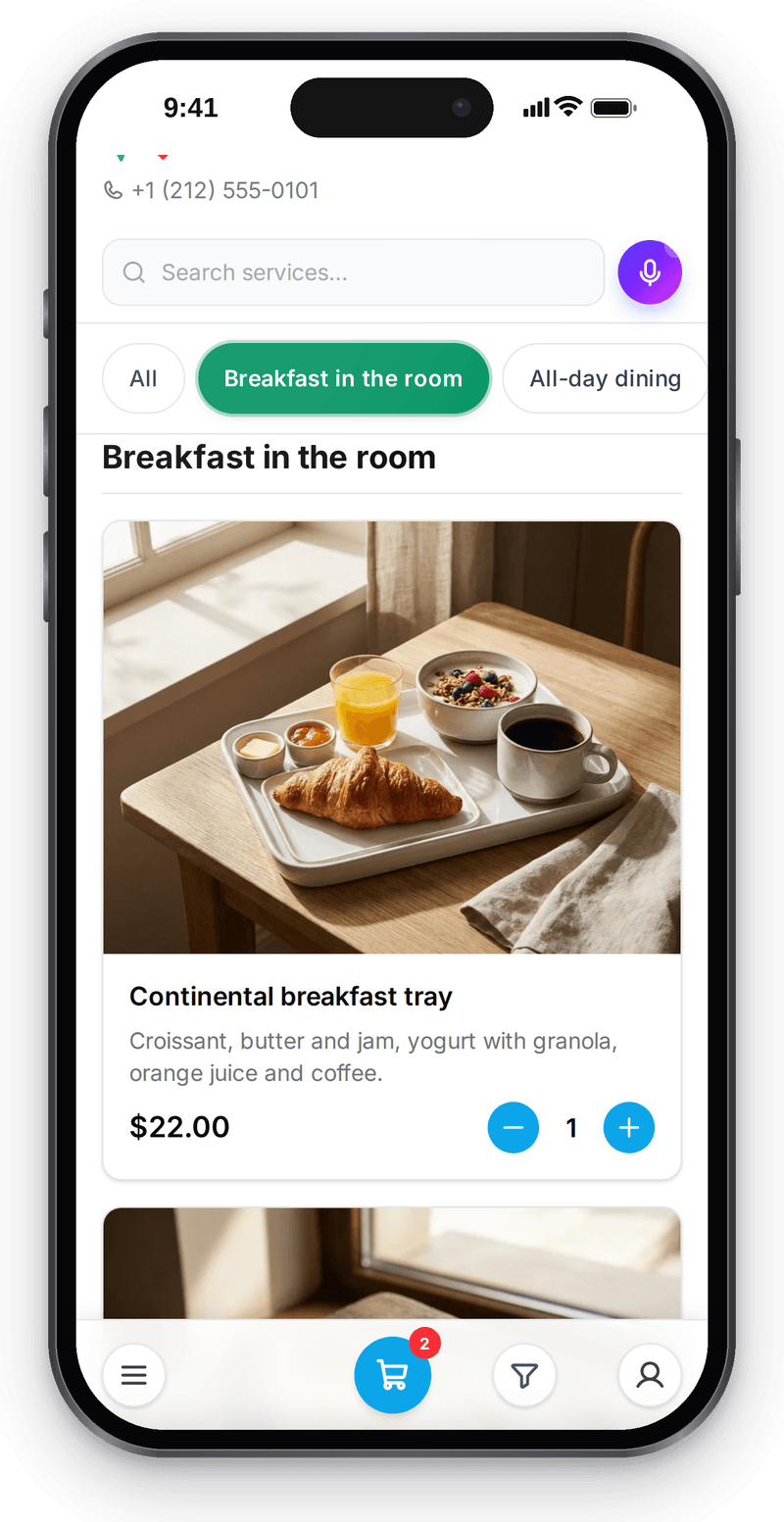
Real screen, demo data, 2 October 2026. Guests order from their own phone

Register
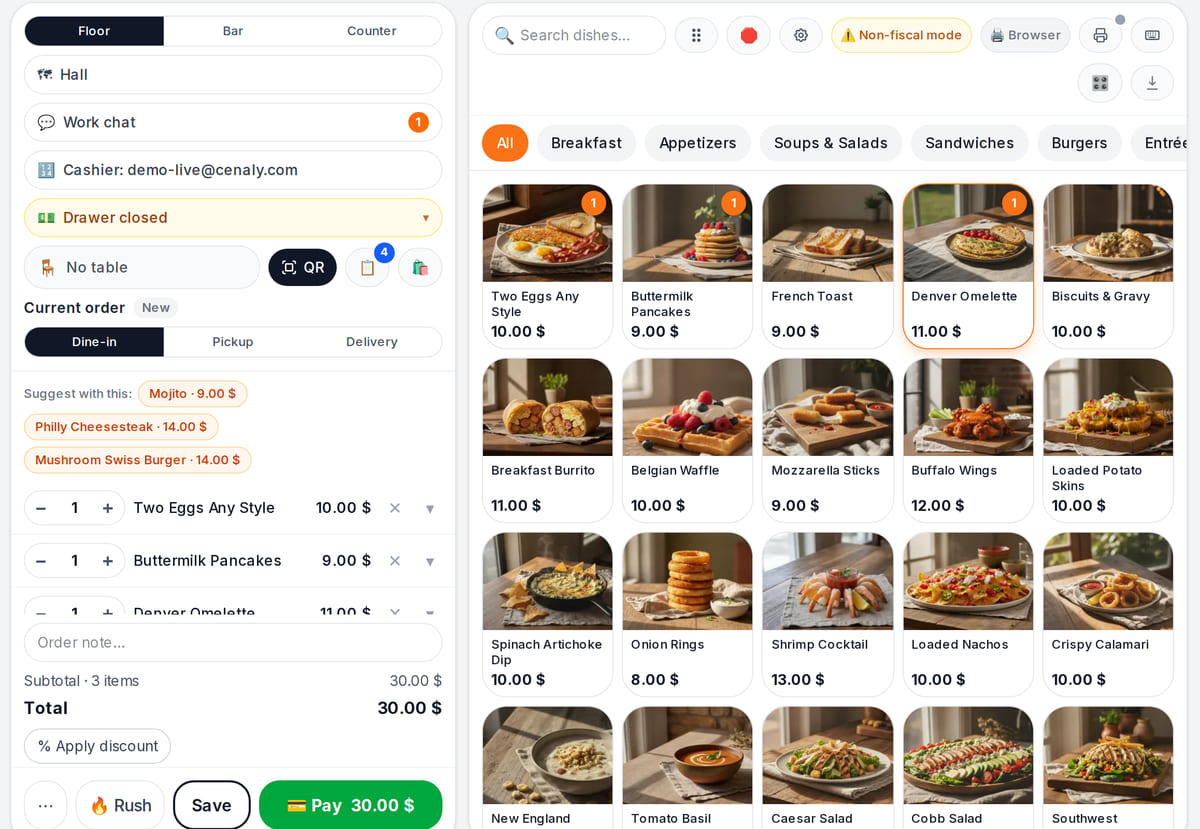
Real screen, demo data, 3 October 2026. The same menu item reaches the register and the kitchen Appointment book
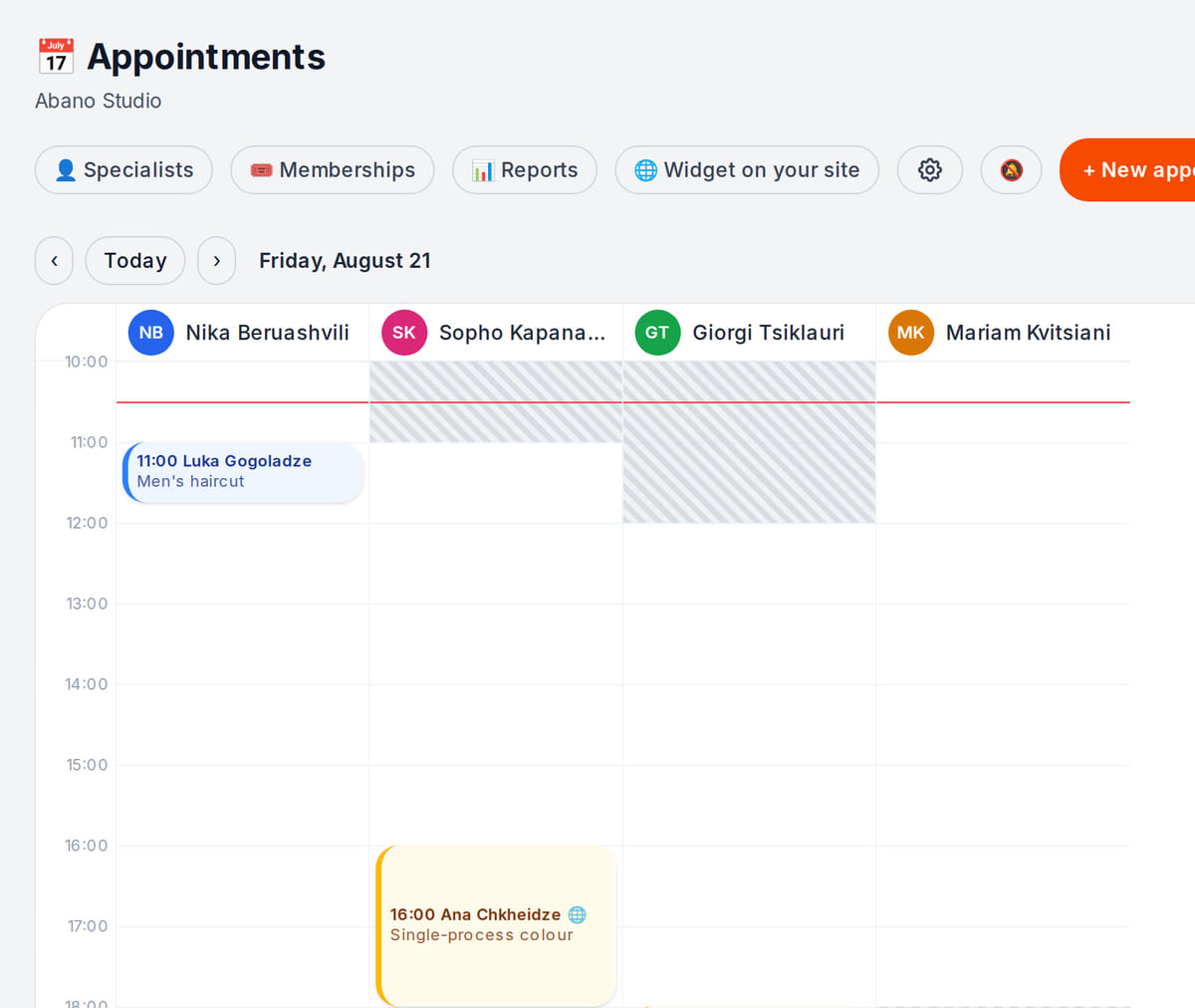
Real screen, demo data, 3 October 2026. For services, bookings instead of tables Business phone
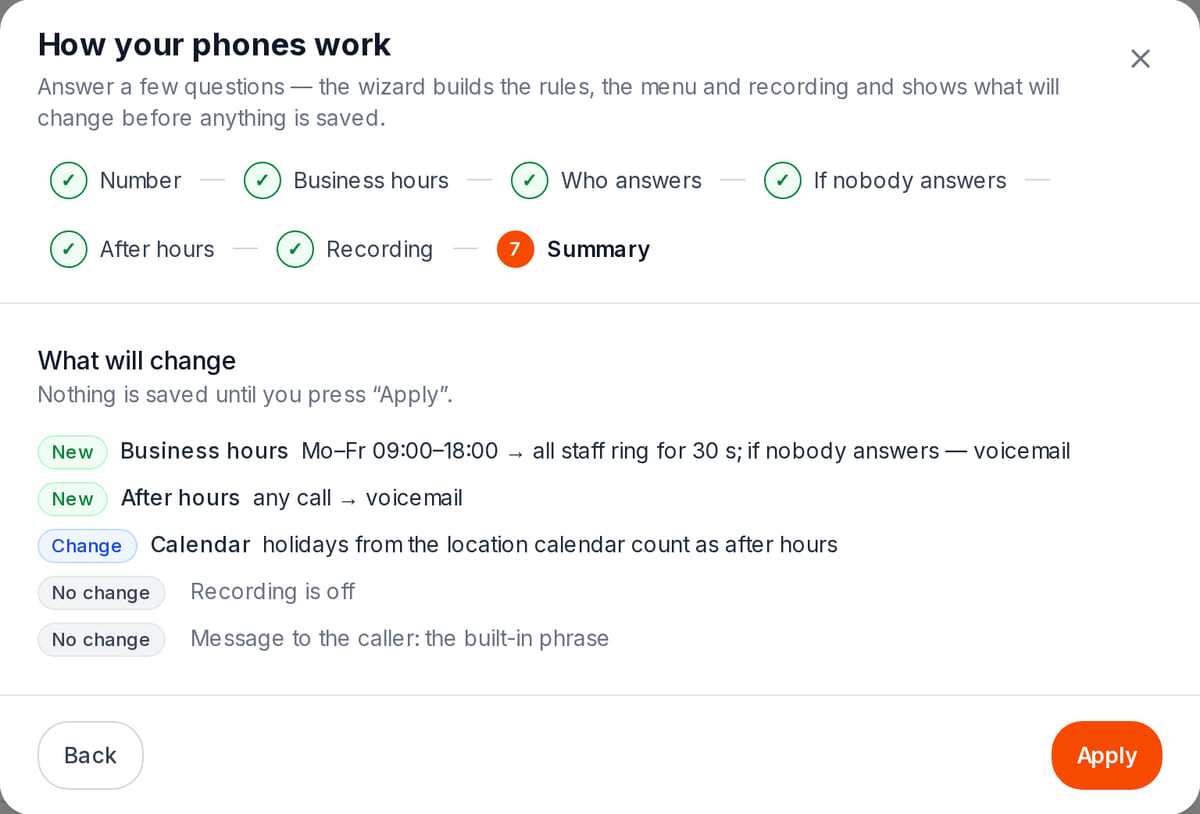
Real screen, test data, 3 October 2026. Calls live in the same system as orders and customers


How it works in practice
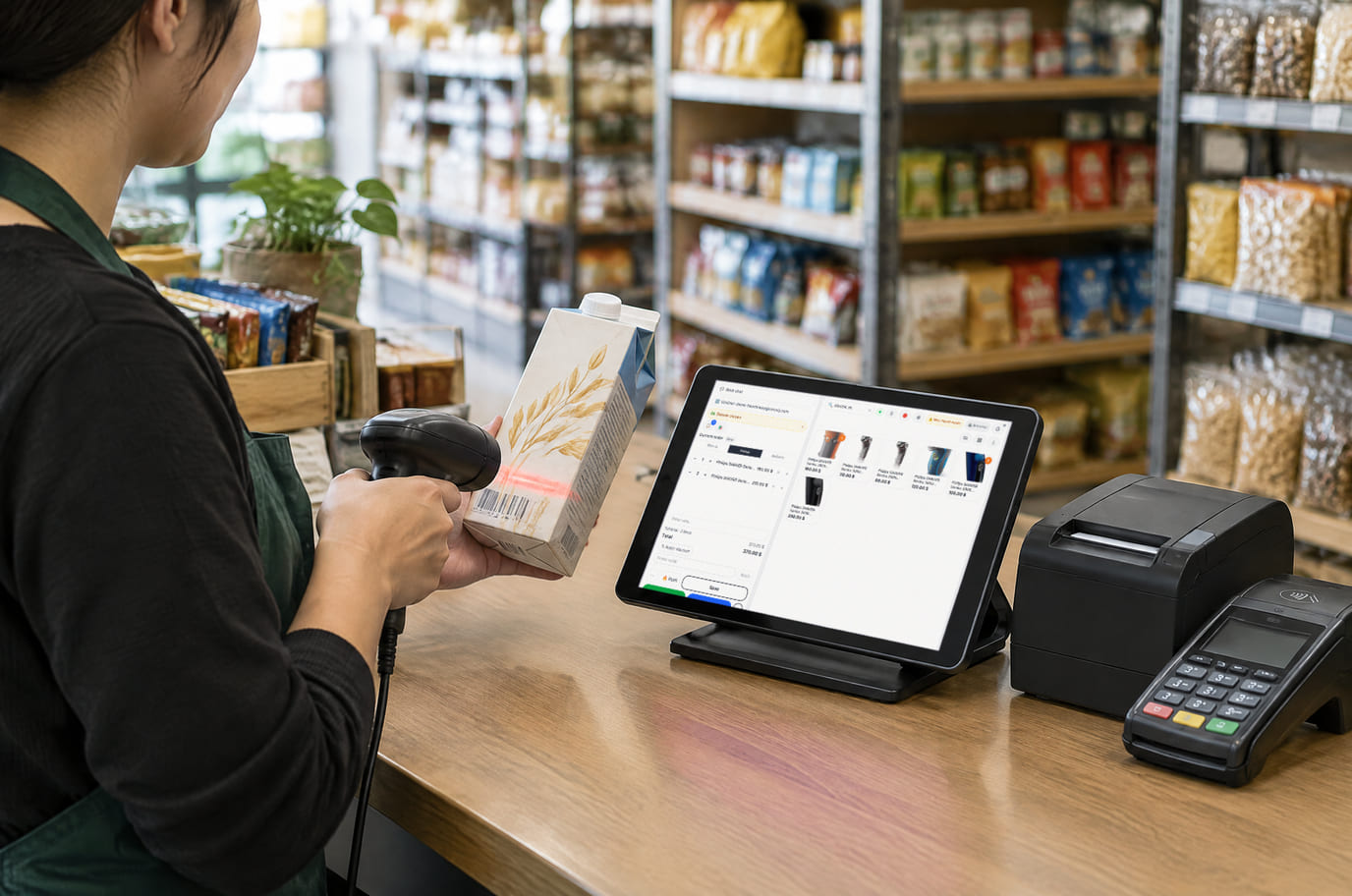
Illustration; the screen shows the real interface, demo data, 3 October 2026. Shop: catalog, register and stock 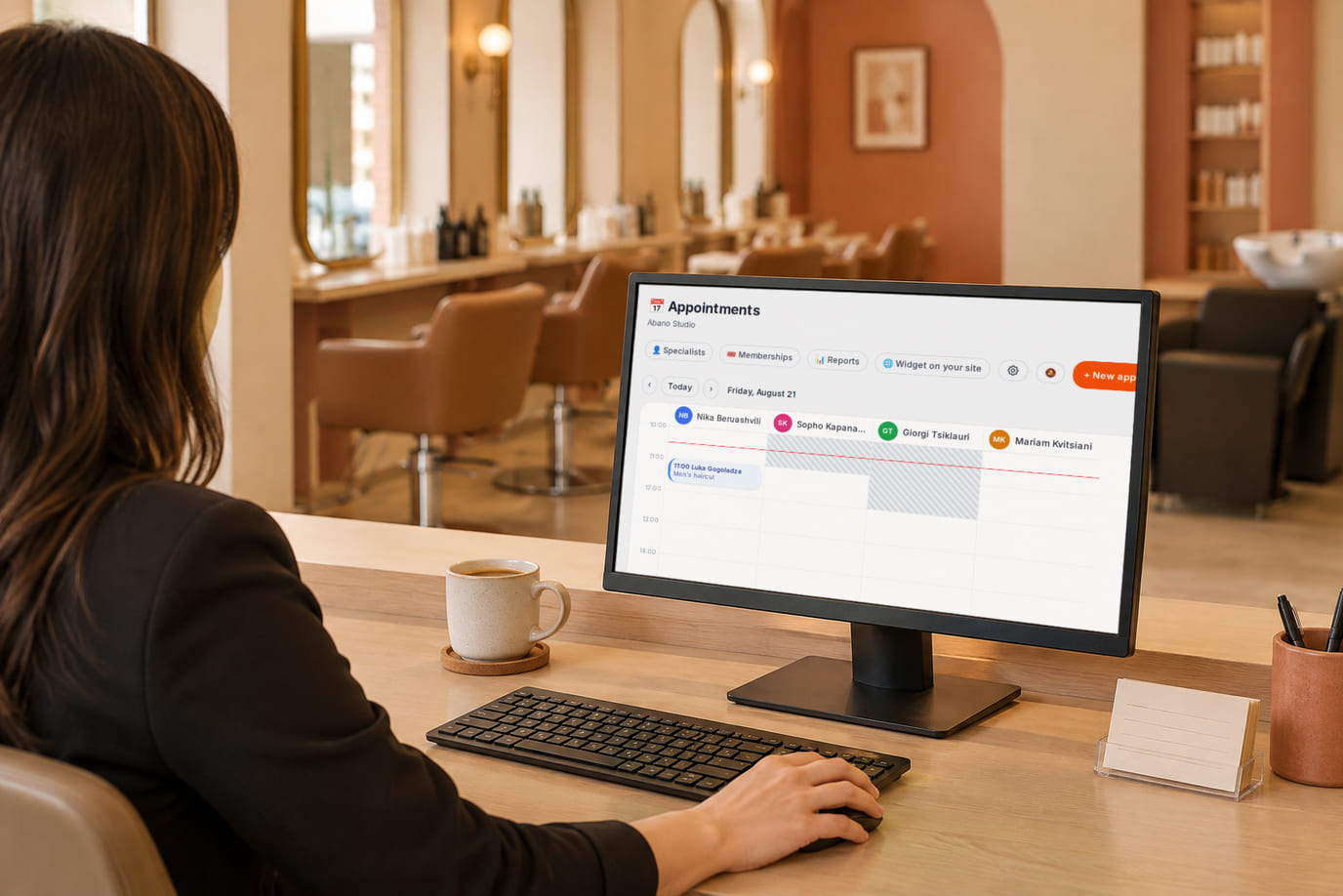
Illustration; the screen shows the real interface, demo data, 3 October 2026. Salon: appointment book and clients 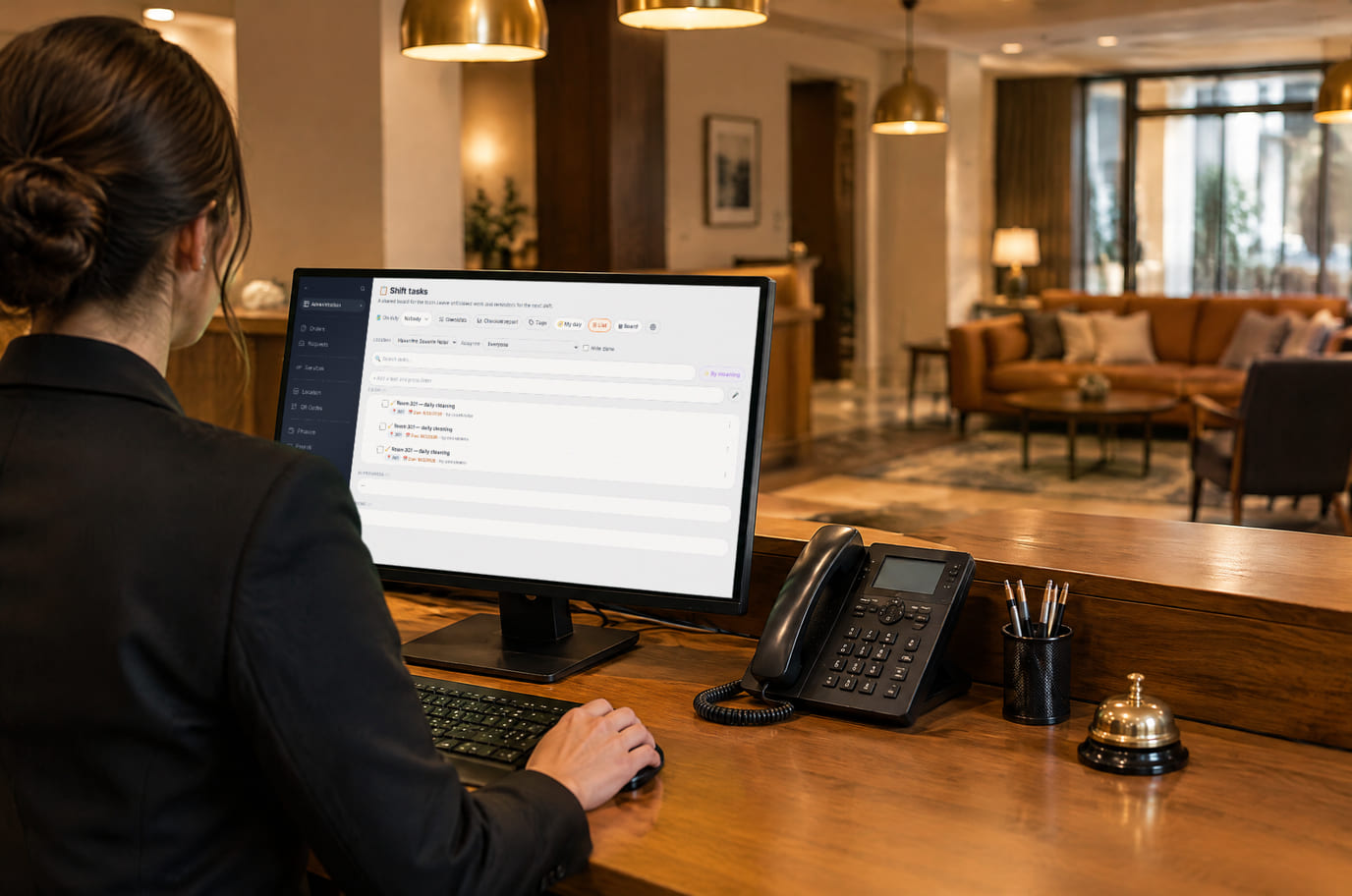
Illustration; the screen shows the real interface, demo data, 2 October 2026. Hotel: rooms, tasks and guests


One account, every module
Your account plan unlocks the core modules and sets location, device and order limits. Paid extensions from the store, AI usage, hardware and provider services are billed separately.
Free
Free
For a one-location catalog and first orders.
Basic
₾30 / month
For orders, POS and the kitchen display.
Premium
₾70 / month
For inventory, menu schedules and multiple locations.
Enterprise
₾120 / month
For higher network limits. Verify required integrations before payment.
Registration does not start a paid subscription. AI, extensions, hardware and provider services cost extra.
All plans and comparison →For your type of business
The same modules with the wording and defaults of your format.
FAQ
Do I buy each module separately?
No. Your account plan unlocks the core modules; paid extensions from the store, AI usage, hardware and provider services such as card acquiring are billed separately.
Can I start with one module?
Yes. Start with a free account — the QR menu and order taking — and add the POS, inventory or phone system when you need them: modules share one menu and one order flow, so nothing needs to be moved between them.
Which devices does it run on?
In a browser on a computer, tablet or phone. Android apps for the POS, kitchen display, couriers and the admin are in beta.
Where is my data stored?
The cenaly.com and meni.ge brands run on AWS; cenaly.ru runs on Yandex Cloud, inside Russia. Some sections are not available on cenaly.ru yet — module pages say so.
What does the “beta” label mean?
The module works but is still being refined: some scenarios are limited or not tested on every device. The help article lists the limits.
Build your own workspace
Create a free account, pick your business type and turn on the modules you need today.
Create a free accountNo card required. Choose a paid plan in the admin.