For shop, salon and venue owners
Income, purchases and business expenses in one report
Bring revenue, purchases and operating expenses into one period. Look for missing documents, refunds or costs before interpreting the result.
Finance is included in the account; POS, inventory and staff follow their own plan terms.
Reports use platform operations and entered expenses — reconcile the first period with documents.
Simplified P&L: revenue minus period purchases and entered expenses. Payroll enters it only as a manual expense; it does not replace accounting.
- One location and period
- Manual expenses by category and date
- Reconcile totals with operations
- whose result
- Location
- which dates
- Period
- separate totals
- Currency
- trace the number
- Source
Inputs behind the owner’s decision
Sales
- Revenue and orders
- Returns and payment methods
- Period and location comparison
Manual expenses
- Rent, utilities and marketing
- Date, category and location
- Expense journal
Interpret a total
- Consistent dates and currency
- Missing document checks
- Known reporting limits
What you need to start
One period and currency
No automatic conversion of all currencies into one total.
Orders and returns
Missing data or a loading error does not mean zero sales.
Purchases and expenses
Avoid entering the same purchase twice.
A reviewer
An owner or accountant reconciles the source data and meaning of totals.
Your first workflow
- 1
Enable the module
Enable Finance in the extension store. Sales, purchase and P&L reports work on both cenaly.com and cenaly.ru.
- 2
Collect operations
Check orders, returns and receipts, then enter missing rent, utilities and other costs.
- 3
Reconcile a result
Compare a total with its original order, reversal and purchase document; check dates, currency and completeness.
Try your own example
Product steps, not testimonials or promised results.
Sales for the period
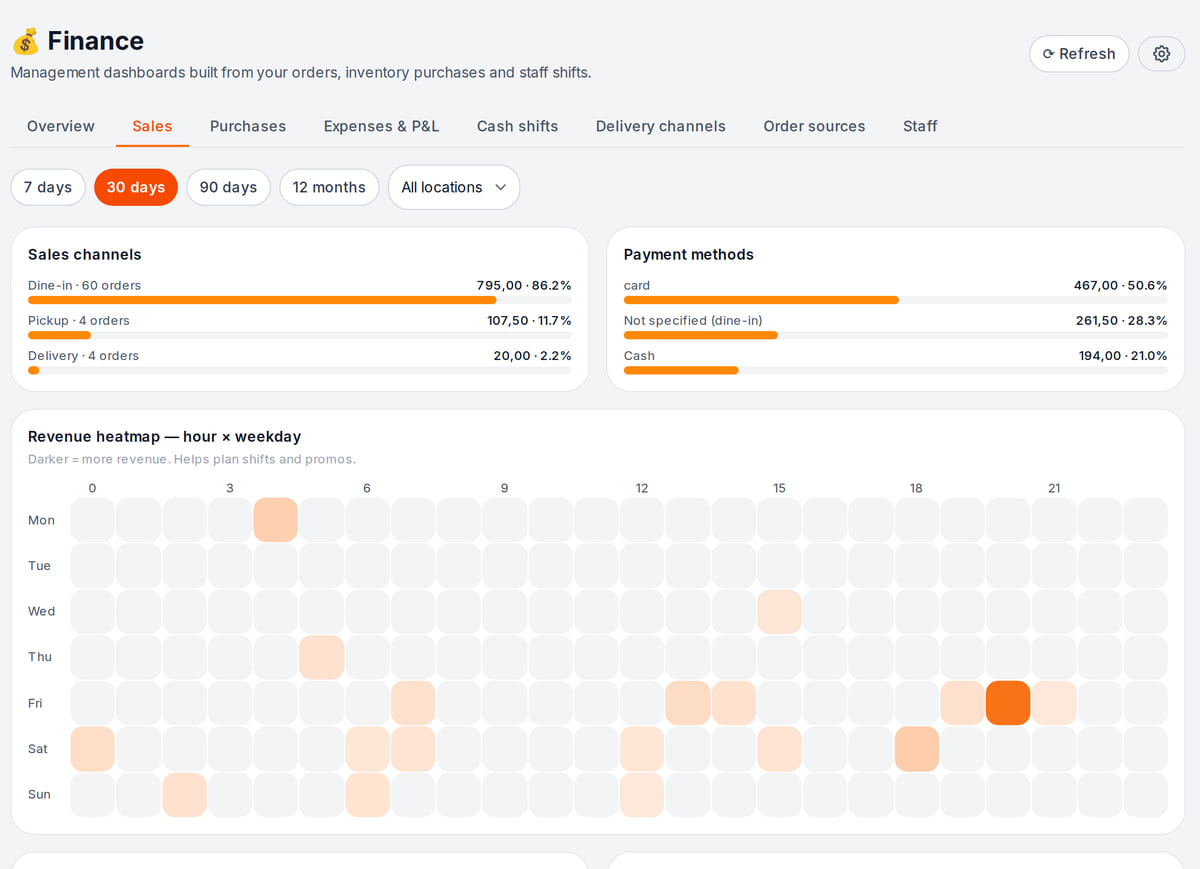
Real screen, test data, 3 October 2026. Revenue by channel, payment method and hour for the chosen period Period overview
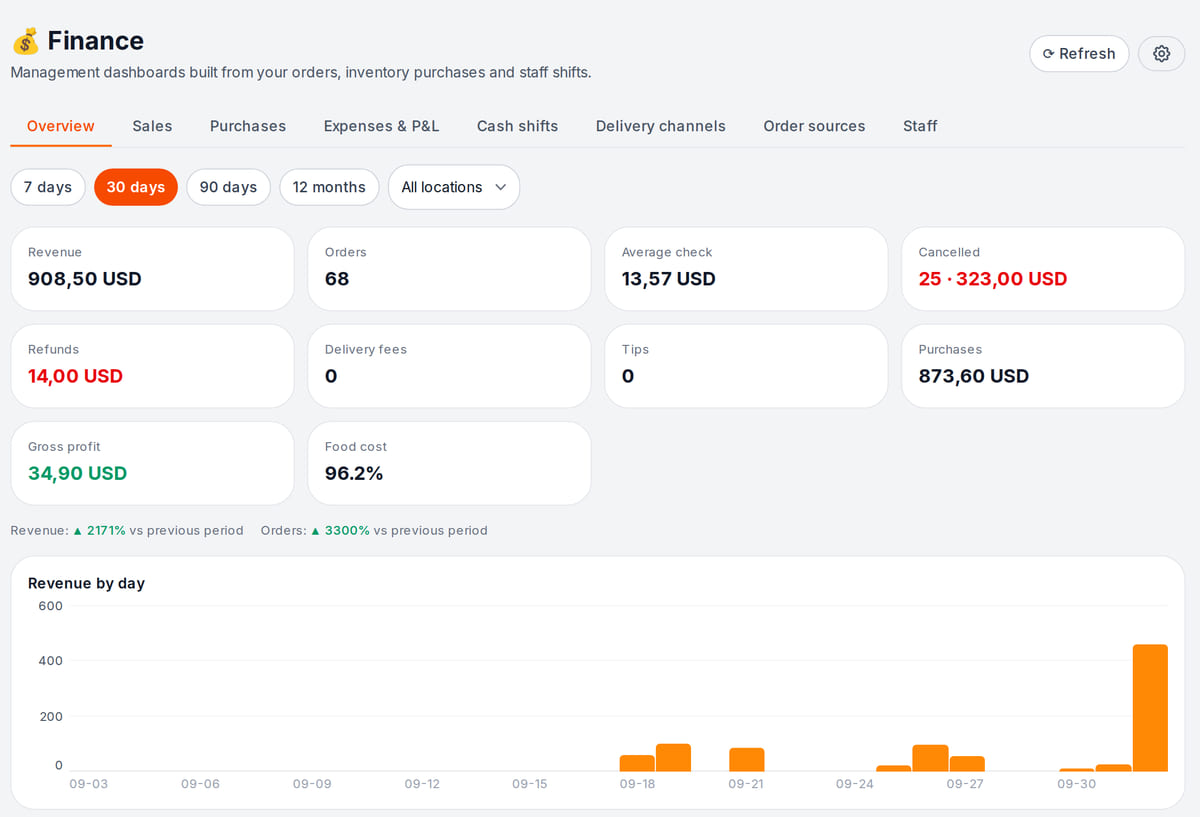
Real screen, test data, 3 October 2026. Purchases and refunds next to revenue show what eats the margin


Reversals and retries should not inflate cost
Real local analytics tests, not a live financial operation. Amounts are test units.
- 1
A cost of 10 units
The test writes an order cost of 10.
Data sources → - 2
A −10 unit reversal
The reversal brings its total to zero. A cash refund is a separate operation.
Reporting limits → - 3
A retry without duplication
Another test processes a 12-unit document three times; the total stays 12, not 36. Check completeness separately.
Reconcile totals →
How it works in practice
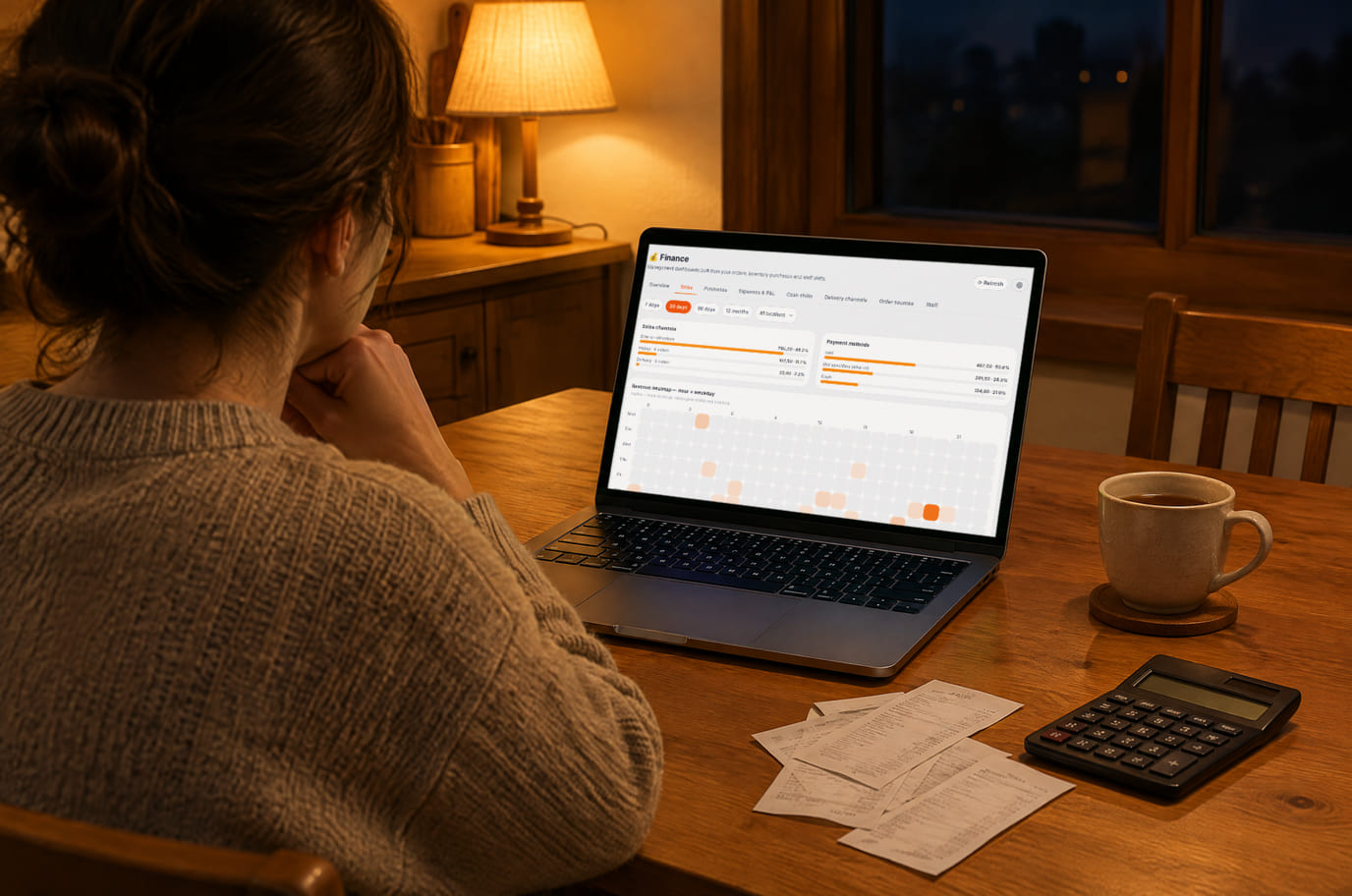
Illustration; the screen shows the real interface, test data, 3 October 2026. Evening check: sales and purchases for the period on one screen 
Illustration. Collect every expense of the period before explaining the result


Where it helps the owner
A shop after restocking
Example: separate a large purchase from the cost of items already sold.
A salon at month end
Example: add rent and utilities, then check payroll amounts separately.
Several locations
Example: compare the same dates, currency and expense coverage.
Example situations. Measure time and costs with your own operations.
Start with reliable source data
Start with reliable source data
Finance activation is included. POS, inventory and staff use their own plan terms; external services are separate.
Module and data sources
- No separate per-report fee for activating Finance
- Source modules use their own plan terms
- Preparation and reconciliation take time
- Bank statements and accounting services are not connected by this report — their terms are separate
First step
Choose a location, currency and period. Reconcile one total against its source documents.
Review one location’s expensesReports use platform operations and entered expenses — reconcile the first period with documents.
What to consider before you start
- Management reporting does not replace accounting, tax filing or payments.
- The simplified P&L subtracts period purchases, which can differ from cost of goods sold.
- Payroll runs do not flow into the P&L; the Salary line is a manual expense only.
- Sync can lag or miss source documents; metrics can differ across sections.
Test your workflow and required connections before migrating data.
Frequently asked questions
Do the reports work on cenaly.ru?
Yes: sales, purchases, the simplified P&L, cash shifts and staff are calculated in the Russian environment too. Only customer cohorts in the Sources tab are not available yet.
How is profit calculated?
Simply: period revenue minus period purchases and manually entered expenses. Period purchases can differ from cost of goods sold, and payroll counts only as a manual expense.
Will bank statements sync automatically?
This page does not promise bank feeds. Check external connections separately.
Can my accountant use it?
As an input for reconciliation, not a replacement for accounting records or required reporting.
Details for every screen are in the help centre. Where to start →
Related workflows
All solutions →Retail shop
Product catalog, barcode checkout and stock checks for a shop or a small chain.
Salon and barbershop
Services, specialist schedules and visits in one journal, with a client booking link.
Professional services and B2B
Inquiry, counterparty, proposal and invoice: an owner keeps agreed terms and outstanding payment together.
Start with one location and one completed period
Collect source documents, add missing expenses and reconcile a result before expanding.
Reports use platform operations and entered expenses — reconcile the first period with documents.