Table bookings and floor service
Bookings, tables and the queue at the door on one screen
Guests request a booking on your storefront, your website or in Telegram; you seat it at a table on the floor plan. The host runs the waitlist, waiters see calls from the tables.
No card required. Paid plans are chosen in the admin — signing up does not start one.
Booking deposits work where online payments are connected.
- Floor plan: rooms, tables and QR codes
- Bookings with deposits and a guest “My bookings” page
- Waitlist and waiter calls from the table

Who it is for
The module is the same — wording and defaults follow your business type.
What the module does
Floor plan
- Plan editor
Rooms, tables, shapes and zones — draw the plan once.
- Table QR codes
A linked QR code gives the guest’s order its table number.
- Merge and move tables
Join tables into one bill and move an order to another table.
Bookings
- Booking without a call
Requests from the storefront, your website widget, Telegram or the venue’s AI agent.
- Deposits
By your policy; an unpaid booking holds the slot for 30 minutes.
- “My bookings” for guests
Cancel or reschedule without calling, emails to the guest at every step.
- Overlaps
A second booking for the same table and time is rejected by the interface and the server.
On the floor
- Floor panel
The plan with open orders, bookings, calls and the day’s tasks — inside the POS.
- Waitlist
Guests queue for a table; when it is ready, call them with one tap.
- Waiter calls
Guests tap “call” with a reason; the waiter sees the table, the reason and the wait time.
- Floor heat map
Revenue and average check by table.
Waiters
- Waiter app beta
Tables, calls and order taking from an Android phone.
- Tips
Tips with the payment, distributed by your venue’s rules.
Step-by-step guides — Help article →
What it looks like in the product
New reservation
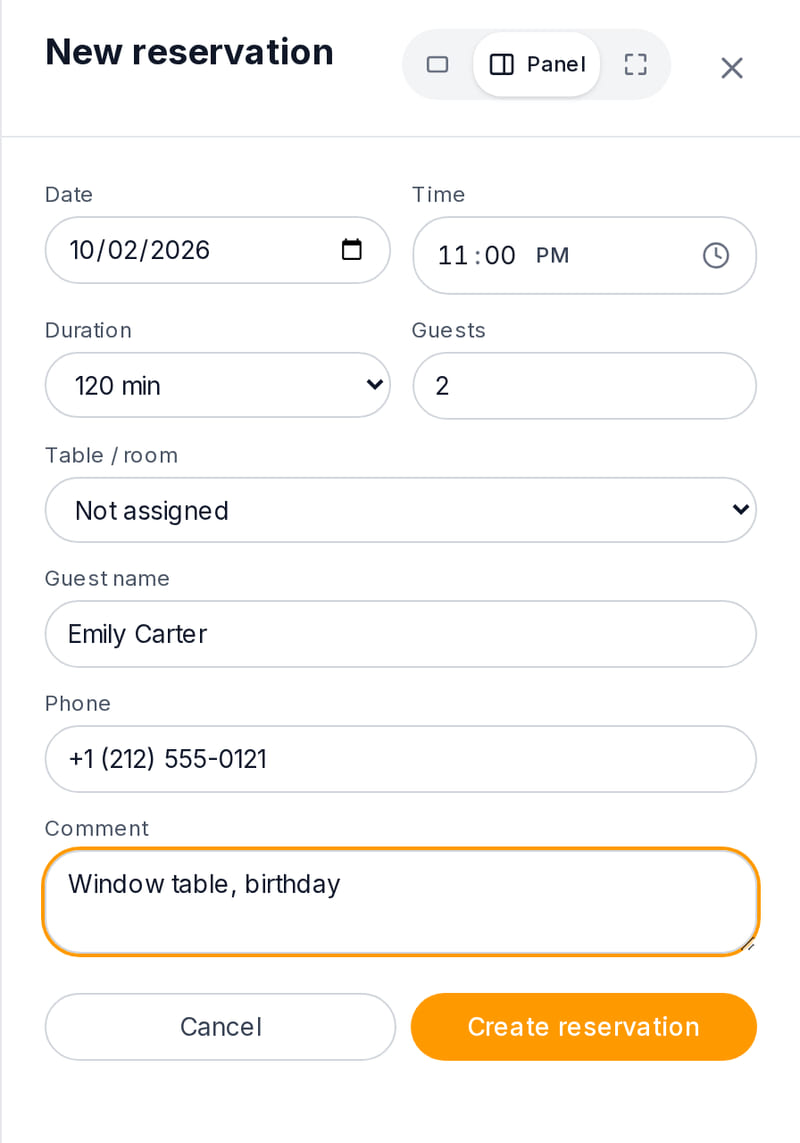
Real screen, demo data, 3 October 2026. A phone booking takes a minute: time, party size, table and notes Floor plan
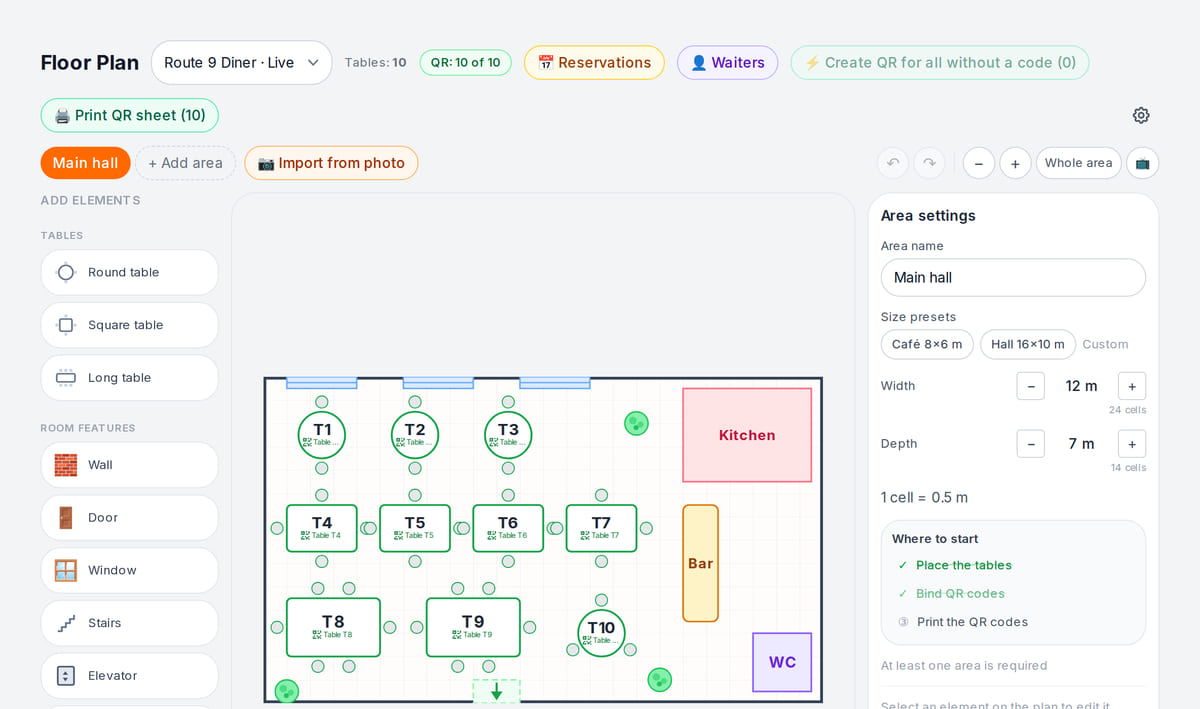
Real screen, demo data, 3 October 2026. Reservations are tied to tables on the floor plan


How it works in practice
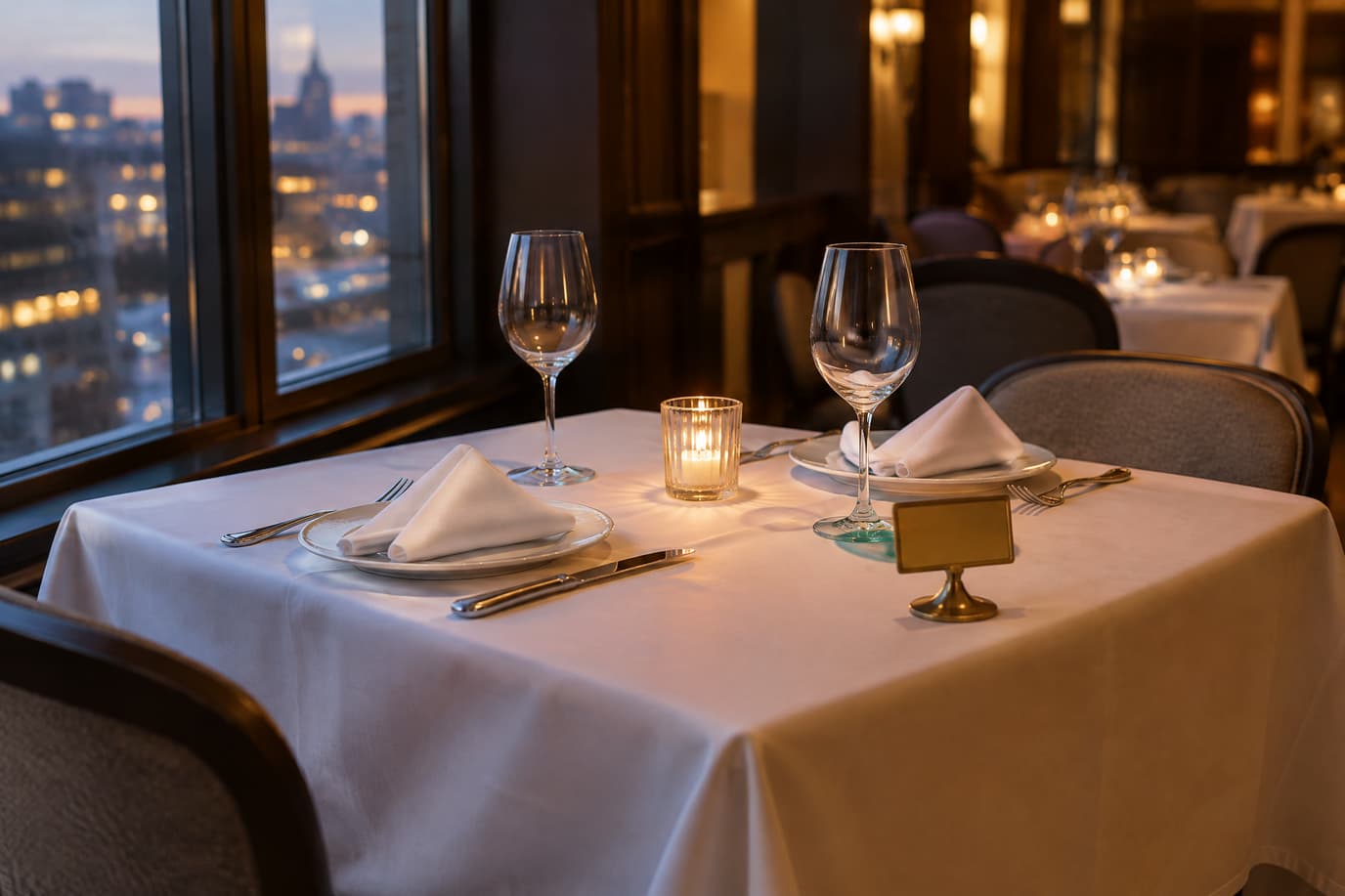
Illustration. The table is set before the guests arrive; the booking is visible to the floor in advance

Built as one system
Modules share one menu, one order flow and one shift — no exports between programs.
POS
A web POS on a tablet or computer: table, bar and counter modes, shifts with X/Z reports, refunds and PIN control.
QR menu and guest ordering
A menu in 45 languages behind a table QR code: guests order themselves and the order arrives with the table number.
Kitchen display (KDS)
Tickets by station on a tablet or monitor: statuses, timers, an expo screen and kitchen printing.
Table booking
A “Book a table” button → one form → a request in your Tables section
Pricing
Available from the plan
Premium
₾70 / month
₾672 / year when paid annually
Priced per account; the plan sets location, device and order limits.
Good to know
- Table reservations and the floor plan are on the higher plan for venues with a dining room
- The booking widget for your own website is a separate paid extension
- Deposits need connected online payments; the provider charges its own fee
Start for free
A free account with one location: build your menu and test the workflow before choosing a plan.
Start for freeHonest limits
- Guests do not pick a table themselves: they send a request and you assign the table.
- There is no per-table booking timeline or automatic seating.
- There is no “guest arrived” status; auto-cancelling no-shows is a venue setting.
- There is no separate banquet entity — a banquet is a large booking tied to a room.
Test your workflow on a free account before buying hardware.
FAQ
Can guests book without calling?
Yes: on your storefront, through a widget on your website, in Telegram or through the venue’s AI agent. The guest sends a request; you confirm it and assign a table.
Can I take a booking deposit?
Yes, if online payments are connected. The deposit follows your policy; an unpaid booking holds the slot for 30 minutes, and guests can cancel in “My bookings” with a refund under the policy rules.
What if two staff members seat the same table at the same time?
The interface rejects the second booking, and if both clicked in the same second, the server does. An unconfirmed request does not hold the table.
Is there a waitlist?
Yes, in the Waitlist tab of the floor panel: the host adds the guest to the queue and calls them with one tap when a table frees up.
Does it work for banquets?
A banquet is a regular booking with many guests and a note, tied to the banquet room or joined tables. There is no separate banquet module.
How much does it cost?
Bookings and the floor plan are part of the higher plan for venues — the price is below and on the pricing page. The booking widget for your website is a separate paid extension.
Step-by-step guides — Help article →
Draw your floor and take the first booking
Create an account, draw the floor plan, link QR codes to tables and send a test request from the storefront.
Talk to us →No card required. Paid plans are chosen in the admin — signing up does not start one.